How to Properly Clean Your Charging Cables

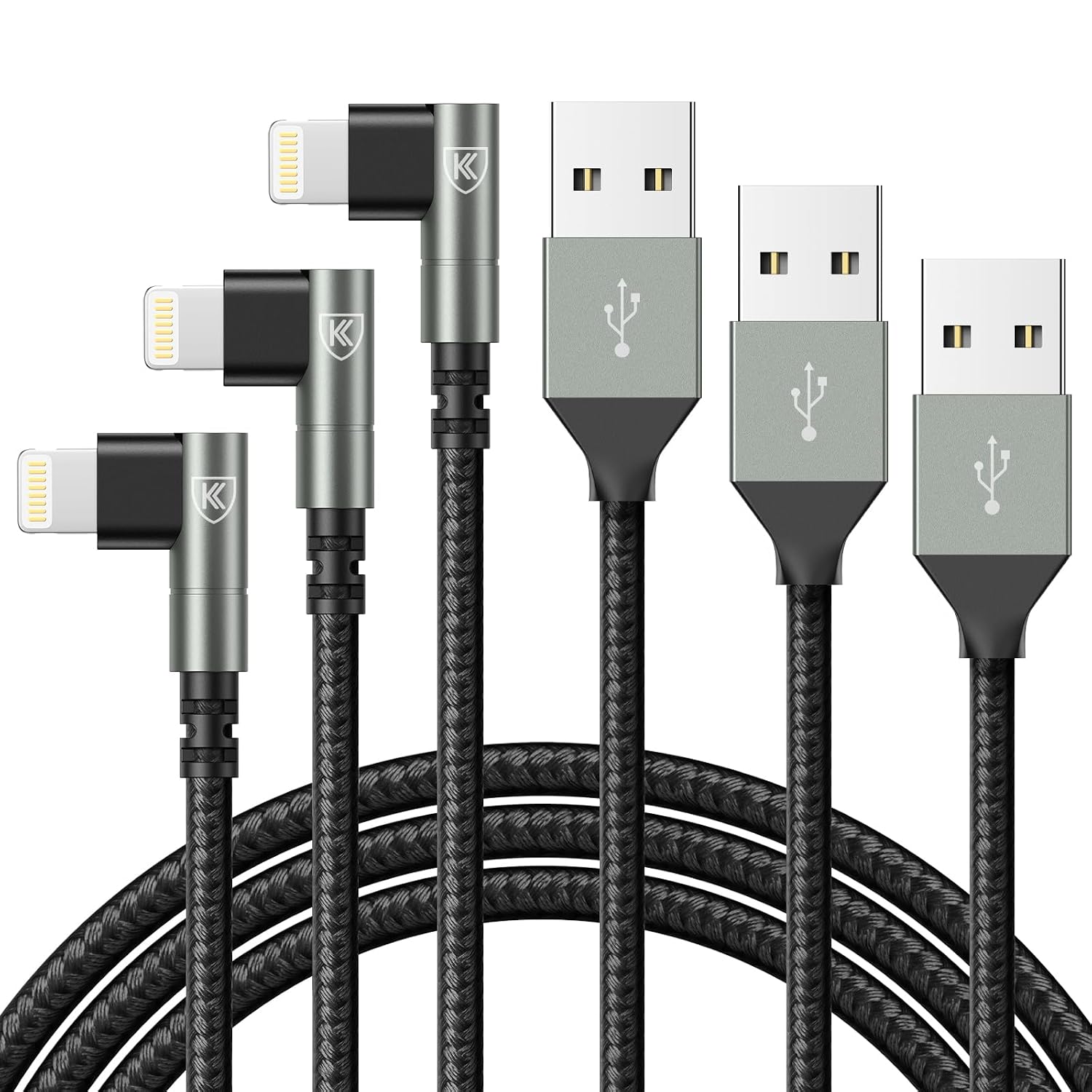
Charging cables are essential for keeping your devices powered, but they can also accumulate dirt and grime over time. Regular cleaning not only helps maintain the appearance of your cables but also extends their lifespan. In this blog post, we’ll share effective cleaning techniques to keep your Lightning and iPhone cables in top condition.
Why Clean Your Charging Cables?
Cleaning your charging cables may seem unnecessary, but it plays a vital role in their longevity. Dust, lint, and debris can accumulate in the connectors, leading to poor connections or even damage. Regular cleaning helps ensure that your devices charge efficiently and can prevent potential malfunctions.
Moreover, a clean cable is more aesthetically pleasing and can improve your overall charging experience. By taking a few minutes to care for your cables, you’re investing in their durability and performance, ensuring you get the most out of your iPhone charging accessories.
Gathering the Right Supplies
To clean your charging cables effectively, you’ll need to gather a few supplies. Start with a microfiber cloth, which is gentle and effective at picking up dirt without scratching the cables. You’ll also want some isopropyl alcohol, which helps disinfect and remove stubborn grime.
If available, a soft-bristled toothbrush can also be useful for getting into tight spots. Ensure that you have these items on hand before starting the cleaning process. Having the right tools will make the task easier and more efficient.
Unplug and Inspect
Before cleaning, it’s crucial to unplug your charging cables from any power source and devices. This ensures your safety and prevents damage to your electronics. Take a moment to inspect the cables for any visible signs of wear or damage, such as frayed areas or bent connectors.
If you notice any significant damage, it may be time to replace the cable. However, if everything looks good, you can proceed with the cleaning process. A thorough inspection can help you catch issues before they become serious, allowing you to maintain your equipment better.
Wiping Down the Cable
Start by taking your microfiber cloth and lightly dampening it with a small amount of isopropyl alcohol. Gently wipe down the entire length of the cable to remove dirt and oils from your hands. This step is essential for keeping the cable looking fresh and preventing the buildup of grime.
Be cautious not to saturate the cloth; excessive moisture can damage the cable. A gentle touch is all that’s needed to lift away surface dirt, making this step quick and straightforward. Regularly wiping down your cables can significantly improve their longevity and performance.
Cleaning the Connectors
The connectors of your Lightning and iPhone cables are particularly susceptible to dirt and debris buildup. To clean these areas, use a cotton swab or a toothbrush lightly dampened with isopropyl alcohol. Gently scrub around the connector, ensuring you reach all crevices.
After cleaning, make sure to let the connectors dry completely before plugging them back into your devices. This prevents moisture from entering your electronics, ensuring a safe and effective charging experience. Keeping the connectors clean can help maintain a strong connection and improve charging efficiency.
Removing Stubborn Debris
Sometimes, you might encounter stubborn debris stuck in your cable connectors. In such cases, a soft-bristled toothbrush can work wonders. Lightly brush around the connector area to dislodge any trapped particles without damaging the delicate parts.
For particularly tough grime, you can dip the toothbrush in isopropyl alcohol to aid in loosening the debris. Just be sure to avoid excessive liquid, as it can lead to further issues. Taking this extra step can help ensure your cables remain functional and reliable over time.
Storing Your Cables Properly
Proper storage is just as important as cleaning when it comes to extending the life of your charging cables. Avoid coiling or twisting the cables tightly, as this can create stress points that may lead to wear and tear. Instead, use a simple figure-eight wrapping method to store them neatly.
Additionally, consider using cable organizers or pouches to keep your cables untangled and protected from dust. Storing them in a dry, cool place away from direct sunlight can further prevent degradation. Proper storage practices can significantly enhance the longevity of your charging accessories.
Regular Maintenance Schedule
To keep your charging cables in peak condition, establish a regular maintenance schedule. Aim to clean them at least once a month, or more frequently if you notice visible dirt or debris. Making this a routine task can help you catch any potential issues early and prolong the life of your cables.
In addition to cleaning, periodically check your cables for any signs of wear or damage. By staying proactive with your maintenance, you’ll ensure that your iPhone and Lightning cables remain reliable, allowing you to stay connected without interruptions.
Where to Start
Start by gathering your supplies: a microfiber cloth, isopropyl alcohol, and possibly a soft-bristled toothbrush. Once you have everything ready, unplug your charging cables and inspect them for any signs of wear. This preparation sets the stage for effective cleaning and maintenance.
With a gentle touch and the right techniques, you can keep your charging cables clean and functional. By integrating these cleaning practices into your routine, you’ll not only enhance the appearance of your cables but also contribute to their longevity and performance.
From our shelves
- 90 Degree iPhone Charger 6FT [Apple MFi Certified] 3Pack Lightning Cable
- iPhone Charging Cable [Apple MFi Certified] USB Lightning Cable 6FT, 3 Pack
- iPhone Charger Cable 2Pack 6FT, Lightning Cable [Apple MFi Certified]
Browse the Lightning and iPhone Cables range, or see everything in stock. Questions about what suits your setup? Talk to us or read the FAQ.